9:编译ffmpeg和集成第三方实现直播(监控类)

最近由于项目需要,接触了一下ffmpeg的编译和使用。 由于之前的版本ffmpeg编译的库比较老,对新设备,5s及5s以后的设备支持不太好,重新编译了ffmpeg静态库。

一,下载并在终端中运行脚本编译ffmpeg 脚本参考git上的:https://github.com/kewlbear/FFmpeg-iOS-build-script; 终端进入刚刚下载后的脚本文件夹下,运行sh:build-ffmpeg.sh 自动编译,有缺少yasm的按照提示操作,安装yasm 编译的是ffmpeg2.5.3版本,Xcode6下iOS8.1。 按照脚本编译完后的静态库目录如下: image.png
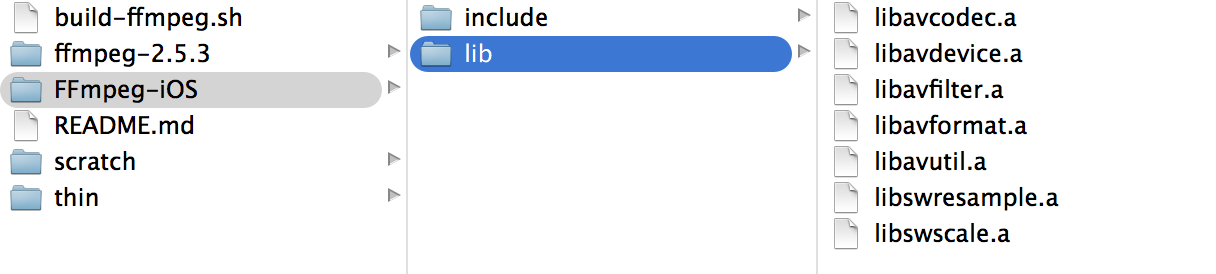
注意:其中的.a文件为静态库文件,include文件夹内的是头文件

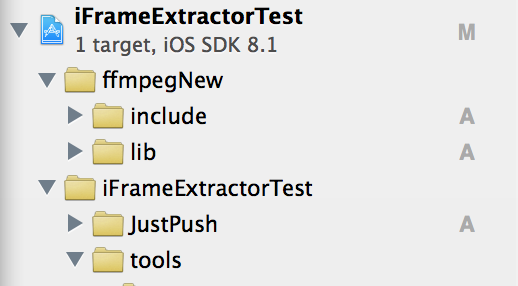
二,将编译好的ffmpeg文件拖人工程,并设置相应的路径 新建工程,将编译好后包含include和lib文件夹拖进工程 image.png
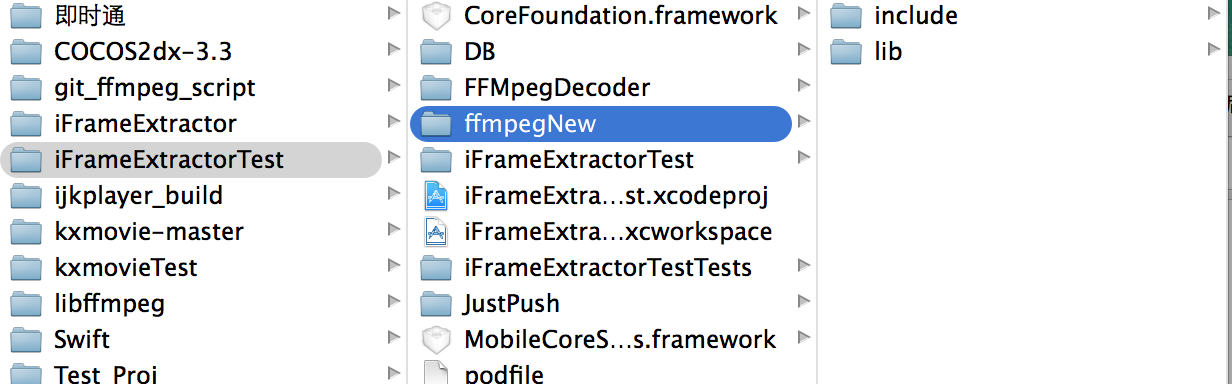
我这里先将FFmpeg-iOS文件夹copy了一分放在工程目录下,并重新命名为ffmpegNew,路径如下图: image.png
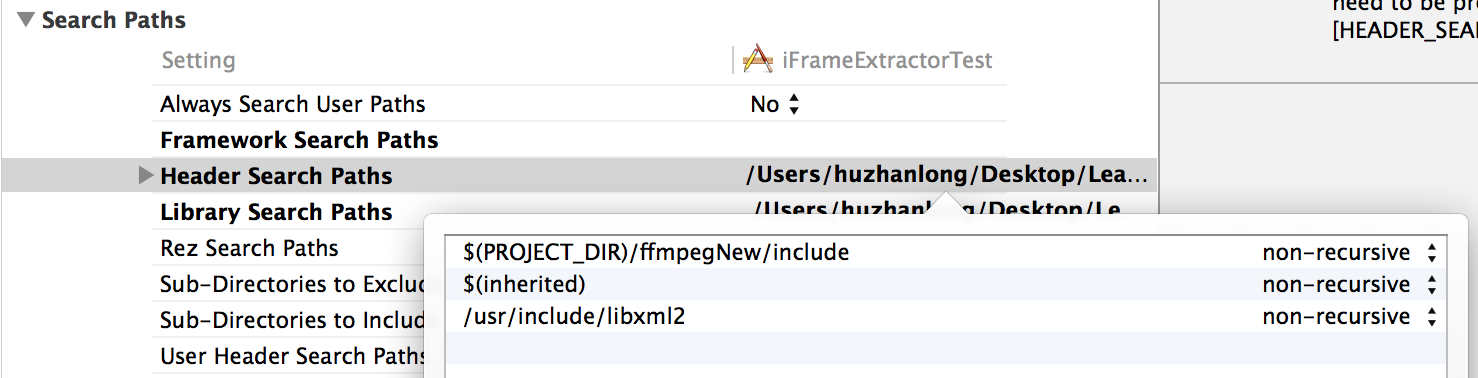
到这里要修改工程的Header Search Paths ,要不然会报 include“libavformat/avformat.h” file not found 错误 根据Library Search Paths 中的lib的路径: image.png
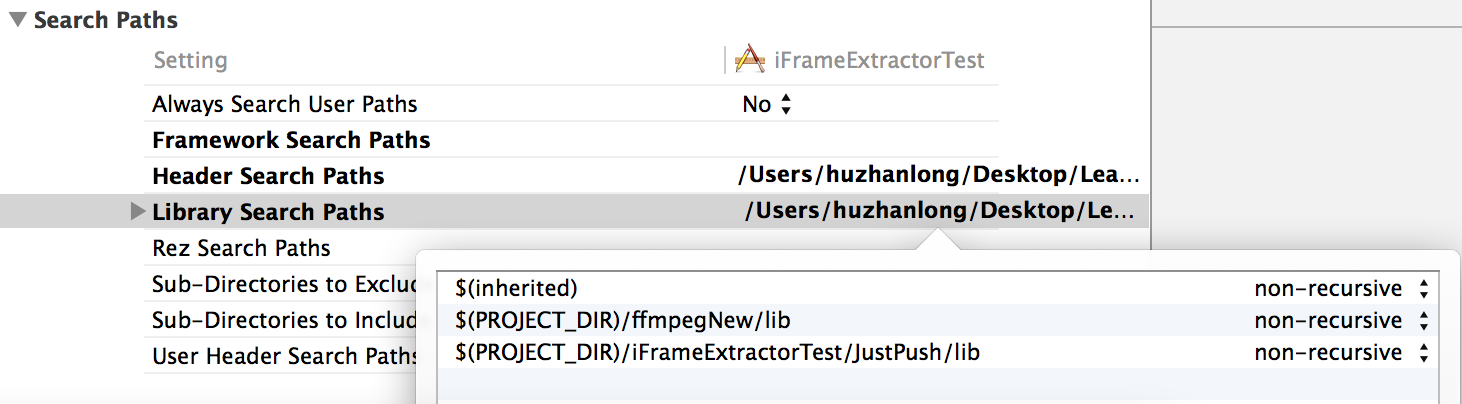
复制路径,添加一份到Header Search Paths 中,再将lib改为include 改好如下: image.png
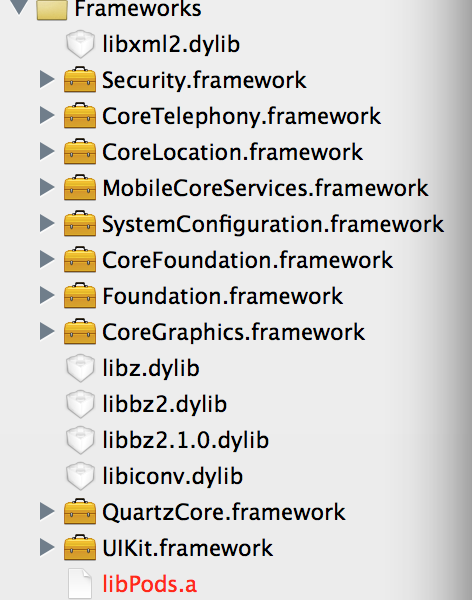
三,导入其他库文件 其中libz.dylib libbz2.dylib libiconv.dylib 貌似是必须要导入的,其他的按照需求配置 个人配置好后的如下供参考: image.png
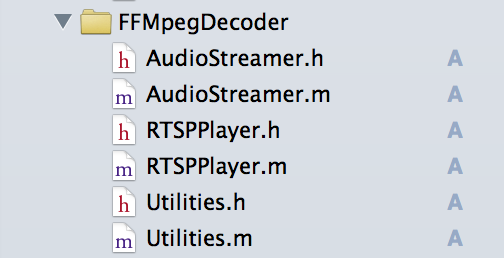
四,将第三方代码导入工程 **根据工程的定制化需求,这里选择了iFrameExtractor,git代码参考:https://github.com/lajos/iFrameExtractor 或者 RTSPPlayer **https://github.com/SutanKasturi/RTSPPlayer 我这里用的后者的demo里面的代码,直接将(AudioStreamer RTSPPlayer Utilities)六个文件拖入工程使用 image.png
五,实现播放,实现方法可以参考demo中的代码 其中的self.playUrl为视频流的地址本工程用的是RTSP 数据流 示例:

self.playUrl = @“rtsp://xxx.xxx.xxx.xxx/xxx.sdp”;

实现播放的代码:

 1
 2
 3
 4
 5
 6
 7
 8
 9
10
11
12
13
14
15
16
17
18
19
20
21
22
23
24
25
26
27
28
29
30
31
32
33
34
35
36
37
38
39
40
41
42
43
44
45
46
47
self.videoView = [[RTSPPlayer alloc] initWithVideo:self.playUrl usesTcp:YES];

self.videoView.outputHeight = self.playImage.frame.size.height;

self.videoView.outputWidth  = self.playImage.frame.size.width;

__weak TestViewController *weakself = self;

dispatch_async(dispatch_get_main_queue(), ^{

weakself.playTimer = [NSTimer scheduledTimerWithTimeInterval:1/30.0

target:weakself

selector:@selector(displayNextFrame:)

userInfo:nil

repeats:YES];

});

-(void)displayNextFrame:(NSTimer *)timer {
if (![self.videoView stepFrame]) {
[timer invalidate];
return;
}

if (startframecount < 48) {
startframecount++;
} else {
startframecount++;
[self playVideo];
}
}

-(void)playVideo
{
      NSLog(@"%p,%d",__FUNCTION__,__LINE__);
  主线程更改视图
  视频源尺寸为352*288
__weak TestViewController *weakself = self;
dispatch_async(dispatch_get_main_queue(), ^{
weakself.playImage.image =  weakself.videoView.currentImage;
NSLog(@"%d,%d",self.videoView.sourceWidth,self.videoView.sourceHeight);
});
}